

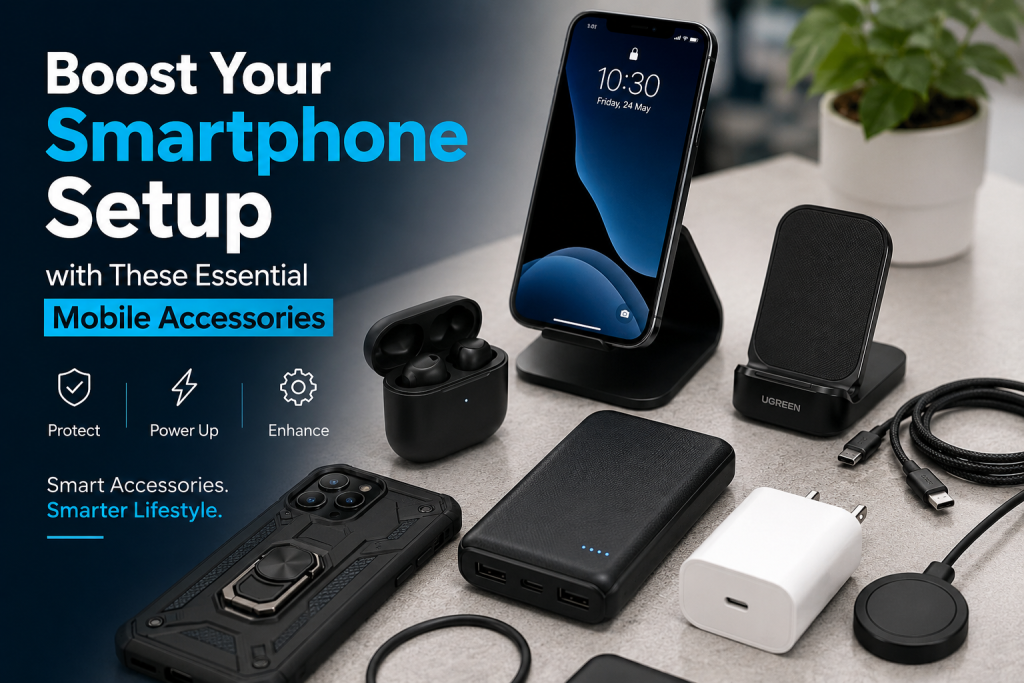
Your phone is more than just a gadget. It is your camera, your bank, your map, and your primary connection to the world. You carry it everywhere, relying on it to get you through the day. While your device is powerful on its own, adding the right gear makes a huge difference. Extra equipment changes how you interact with your phone. It keeps the hardware safe and adds new features that the manufacturer did not include.
Whether you need more battery life, better audio quality, or extra storage for your files, the right accessories turn a standard phone into a custom tool that fits your specific habits. Investing in a tailored ecosystem of tools allows you to unlock the hidden potential of your device, transforming a mass-produced piece of glass and metal into a highly personalized workstation and entertainment hub.
Protect Your Phone with Cases and Screen Guards
Accidents happen. You might drop your phone on a sidewalk or scratch the screen in your pocket. Investing in physical protection is the best way to make your phone last longer and preserve its resale value when it comes time to upgrade.
Shield Your Screen from Scratches and Cracks
A cracked screen ruins the look and feel of your phone. Replacing a display is often expensive, making prevention a smart move. Tempered glass is the gold standard for screen protection. It feels smooth, like the actual glass of your phone, and resists impact from drops better than thin plastic films. The chemical treatment of tempered glass allows it to absorb the shock of an impact, sacrificing itself to keep the underlying digitizer completely intact.
When you buy a screen protector, look for one that covers the entire display area, including the curved edges if your phone has them. Some screen protectors come with an alignment frame. This frame helps you put the guard on straight without trapping dust or air bubbles. Before you install it, use a microfiber cloth to wipe the screen. Even a tiny piece of lint causes a bubble that will annoy you every time you look at the screen. Wipe it clean, use the included dust sticker, and apply the guard slowly to get a clean finish.
Pick the Right Case for Your Needs
Cases do more than just protect your device. They also add grip, preventing slips before they start. You have many options, so choose based on how you use your phone.
- Slim cases: These use hard plastic or soft TPU to add minimal bulk. They protect against everyday scratches and light bumps while maintaining the original silhouette of the device.
- Rugged cases: These are thicker and utilize multi-layer construction—often combining a soft, shock-absorbing interior with a hard outer shell—to handle drops from several feet. If you work outdoors or enjoy hiking, these are a solid choice.
- Leather cases: These add a professional look. They feel great in the hand and often develop a nice, unique texture over time.
- Wallet cases: These hold your cash and cards, effectively replacing your need for a separate wallet and making it easier to streamline what you carry in your pockets.
Consider the material as well. Silicone cases provide a non-slip grip that helps you hold onto the phone. Aramid fiber cases are exceptionally light and very thin but provide surprising structural strength. Look for raised edges around the camera bump and the screen. This ensures that when you lay your phone face-down on a table, the delicate parts do not touch the surface.
Power Up On-the-Go with Reliable Charging Solutions
Low battery anxiety is real. You do not want your phone to die when you need it most, whether you are navigating a new city or waiting for an important business call. Having the right power accessories ensures your device stays ready for anything.
Make Charging Easier with Wireless Pads
Cables break over time, and they create immense visual clutter on your desk. Wireless charging pads fix this annoyance. You just set your phone down on the base, and it starts charging immediately. This is perfect for your nightstand or your office desk, where you frequently pick up and put down your phone.
Most modern phones use the Qi wireless standard. When you shop for a pad, look for one that matches the maximum wattage your phone supports. Charging stands are often better than flat pads because they hold your phone at an angle, letting you see incoming notifications or make video calls while it charges. They also tend to manage heat better, which is good for your long-term battery health. If you have a phone and wireless earbuds, look for a dual or triple charger that can power all your personal devices at once.
Use Fast Charging for More Power
You do not want to wait hours for a full battery. Fast charging technology lets you get a significant boost in just 15 or 20 minutes. To take advantage of this, you need a high-quality wall adapter that supports protocols like USB Power Delivery (USB-PD). Older, low-power blocks will charge your phone, but they will do it painfully slowly.
For travel, a portable power bank is a absolute must. When buying one, capacity is the main number to watch. A 10,000 mAh battery gives you two to three full charges for most smartphones, making it ideal for day trips. If you carry a laptop or tablet as well, look for a power bank with a higher wattage output (such as 45W or 65W).
GaN (Gallium Nitride) technology is worth mentioning here. Chargers made with this material are significantly smaller, lighter, and run much cooler than traditional silicon chargers, making them perfect for your travel bag.
Amplify Your Audio Experience with Premium Headphones and Speakers
Your phone’s built-in speaker is rarely enough for music, movies, or podcasts. Upgrading your audio gear completely transforms your daily media consumption.
Get Better Sound with Quality Headphones
Good headphones change how you hear your music. If you want something portable, wireless in-ear buds are the go-to choice. They are small, discrete, and come with charging cases that fit easily in your pocket. If you prefer long-term comfort or better physical sound isolation, over-ear headphones are a better pick for long study sessions or flights.
Look for features like active noise cancellation (ANC) if you commute or fly often. This tech uses exterior microphones to block out the low hum of engines or the chatter in an office. Bluetooth connectivity is standard, but the specific version matters. Bluetooth 5.0 or higher offers a stronger, more stable connection with less latency. If you care about high-resolution audio, check if your headphones support advanced codecs like aptX or LDAC, which transfer more data for clearer sound.
Share Your Music with Bluetooth Speakers
Sometimes you want to share your playlist at a park, a backyard barbecue, or a small gathering. A portable Bluetooth speaker is the right tool for this. When you buy one, check the IP rating for environmental resistance. An IP67 rating means the speaker is fully protected against dust and can handle being submerged in water briefly. This makes it safe for the pool, the bathroom, or the beach.
Battery life is also key. A good speaker should last through at least 10 to 12 hours of continuous use. Some models offer multi-speaker pairing, letting you connect two separate speakers to one phone to create a wider stereo sound. It is a simple way to boost the volume for outdoor parties without buying a massive, heavy home audio system.
Streamline Your Workflow and Creativity with Smart Accessories
Your phone can do much more than browse the web and scroll through social media. With the right add-ons, it becomes a powerful tool for creation, editing, and professional productivity.
Use Lenses and Gimbals for Better Media
Phone cameras are incredibly capable, but they have physical limitations due to the thickness of the phone. Clip-on lenses add optical zoom or ultra-wide views that the main sensor cannot reach on its own without losing digital quality. A macro lens is great for close-up shots of plants, insects, or fine textures, while a telephoto attachment helps you get closer to distant subjects without pixelation.
For video creators, the biggest issue is camera shake. A smartphone gimbal uses motorized axes to keep your phone perfectly steady, even if you are walking, running, or climbing stairs. This creates smooth, professional-looking footage that looks like it came from a high-end Hollywood camera rig. It turns simple home videos into cinematic, polished clips.
Work Anywhere with Styluses and Keyboards
Can you get real work done on a phone? Yes, if you have the right desktop setup. A compact Bluetooth keyboard lets you type emails, messages, and long documents much faster than using the cramped on-screen virtual keys. Many modern travel keyboards are foldable, meaning they take up almost no room in your backpack.
A stylus is another great tool to consider. It is not just for digital artists drawing sketches. You can use it to edit photos with pixel-perfect precision, sign digital documents on the fly, or take handwritten notes in a meeting. If you use your phone for design work or managing spreadsheets, a stylus gives you a level of precision control that your finger simply cannot match.
Personalize Your Device and Connectivity with Essential Add-ons
Sometimes the best accessories are the ones that solve a specific utility problem with how you connect your devices or interact with them in your car.
Use Mounts to Keep Your Phone Handy
You should never hold your phone while you drive. A car mount keeps your navigation screen safely in your line of sight while you keep both hands on the wheel. Magnetic mounts are incredibly popular because they are fast; you just touch the back of your phone to the magnet and it locks instantly in place. Vent clips are also great because they keep the phone away from your windshield, improving road visibility. At your desk, a simple aluminum stand helps you monitor incoming notifications or take hands-free video calls without needing to pick up your phone every few minutes.
Expand Storage and Connection Ports
If you record a lot of 4K video or take high-resolution photos, you will eventually run out of internal storage space. If your Android phone supports a physical microSD card, adding one is a no-brainer. It is a cheap, efficient way to double or triple your internal storage capacity without subscribing to monthly cloud services.
If your phone does not have a physical expansion slot, or if you need to connect external peripherals, look into multi-port USB-C hubs. These hubs plug into your phone’s primary charging port and add extra slots for standard USB flash drives, external monitors, or SD cards from standalone cameras. Some smartphones even have a built-in desktop mode that turns on automatically when you connect them to a monitor, essentially giving you a portable computer that fits right in your pocket.
Maintaining Your Ecosystem for Peak Performance
Buying the right gear is only half the battle; keeping it in top condition ensures you get your money’s worth over the lifespan of your smartphone. Dust, pocket lint, and physical wear can degrade the performance of even the highest-quality accessories if left unchecked.
Clean Ports and Connections
Over months of use, your phone’s charging port and the connectors on your accessories collect pocket lint and debris. This can cause loose cable connections or slow down fast-charging protocols. Once every few months, use a wooden toothpick or a small plastic precision tool to gently clean out the USB-C or lightning port. Avoid using metal needles, as they can damage the delicate gold pins inside. For wireless charging pads, wipe the surface down with a dry microfiber cloth to remove dust layers that might impede thermal transfer and cause your phone to heat up unnecessarily.
Cable Management and Storage
Repeatedly bending cables at sharp angles destroys the internal copper wiring, leading to intermittent charging or complete failure. When packing cables for travel, use the “over-under” coiling technique rather than wrapping them tightly around your hand or power block. Investing in a small, padded electronics organizer bag prevents your chargers, hubs, and earbuds from tangling together and experiencing friction wear during transit.
Final Thoughts
The right accessories make your daily life easier, safer, and much more productive. They save your expensive phone from catastrophic drop damage, help you get professional work done on the train, and drastically improve your mobile entertainment experience.
You do not need to buy everything on the market all at once to see the benefits. Focus closely on your specific daily habits. Do you travel often for work? Prioritize a high-capacity fast-charging bank and a pair of solid noise-canceling headphones. Do you take lots of family photos? Look into a stabilizing gimbal or a protective rugged case.
Take a careful look at your current daily smartphone setup and identify the one single thing that annoys you the most. Whether it is a short battery life, a slippery grip, or a messy desk, there is almost certainly a dedicated accessory built to solve that exact problem. By choosing your gear with care and maintaining it well, you turn your smartphone into a far more capable, helpful, and durable tool.